EASYchange® Brush Condition Monitoring

See Brush Wear Before it Costs You

Protect Your Generators with a Brush Monitoring System

Request a Demo

Generator Brush Condition Monitoring

Brush condition monitoring (BCM) continuously tracks the health and performance of brushes and slip rings to prevent costly wear-related failures. By monitoring parameters such as usable brush length, temperature, and brush vibration, operators can detect abnormal wear, arcing, or loss of contact pressure before they cause catastrophic failure . This proactive approach increases reliability, extends maintenance intervals, and enhances operator safety by reducing manual inspections and amount of time in and around energized and rotating equipment. Supports NFPA 70B/70E compliance through multiphysics monitoring and documented condition data.
Failure Modes Detected

  • Excessive brush wear
  • Uneven brush loading or selective action
  • Arcing or electrical erosion
  • Brush vibration
  • Slip ring surface degradation
  • And more…

Customer Testimonials

"Safety wise, [Brush Condition Monitoring] is a great system. We're not changing our brushes as often and our guys don't have to stick their hands in the machines to change them. We're able to change the brushes on an as needed basis, instead of an arbitrary number of brushes each month. We're seeing some O&M savings as well. We're probably able to save about 1/3 of our O&M budget since our operators aren't having to go out and check on the brushes as often. Our operators really like the system."

John Wilcox
O&M Superintendent
AEP Dresden (OH)

"I used to spend about 50–70% of my time traveling to analyze issues. Now, with InsightCM, that's down to about 20%. It's also valuable to us and our customers to not have to wait 4–5 hours to start a 500MW unit. Everybody wins."

C.R.
Vibration Analyst
Midwest Power Plant

“We have nothing but great things to say about the Cutsforth brush systems here. Low costs, easy to maintain and no issues whatsoever.”

P.B.
Maintenance Superintendent
Midwest Power Plant

Brush Condition Monitoring Software

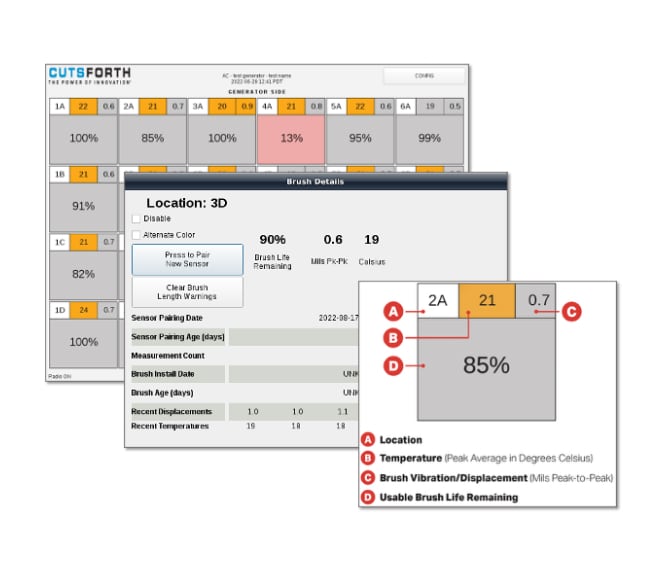
Cutsforth’s Brush Monitoring System software integrates real-time brush voltage, current, and vibration data to automatically detect abnormal contact behavior and trending wear patterns — providing early warning of brush or slip ring issues before they impact generator uptime or safety. Some of the extensive visualization and analysis software tools for brush monitoring, include:

  • Brush Location
  • Temperature
  • Brush Vibration/Displacement
  • Usable Brush Life Remaining
  • Brush Length Warning
  • High-Temperature Warning
  • High-Vibration Warning
  • Low Sensor Battery

Measurement Capabilities

How It Works

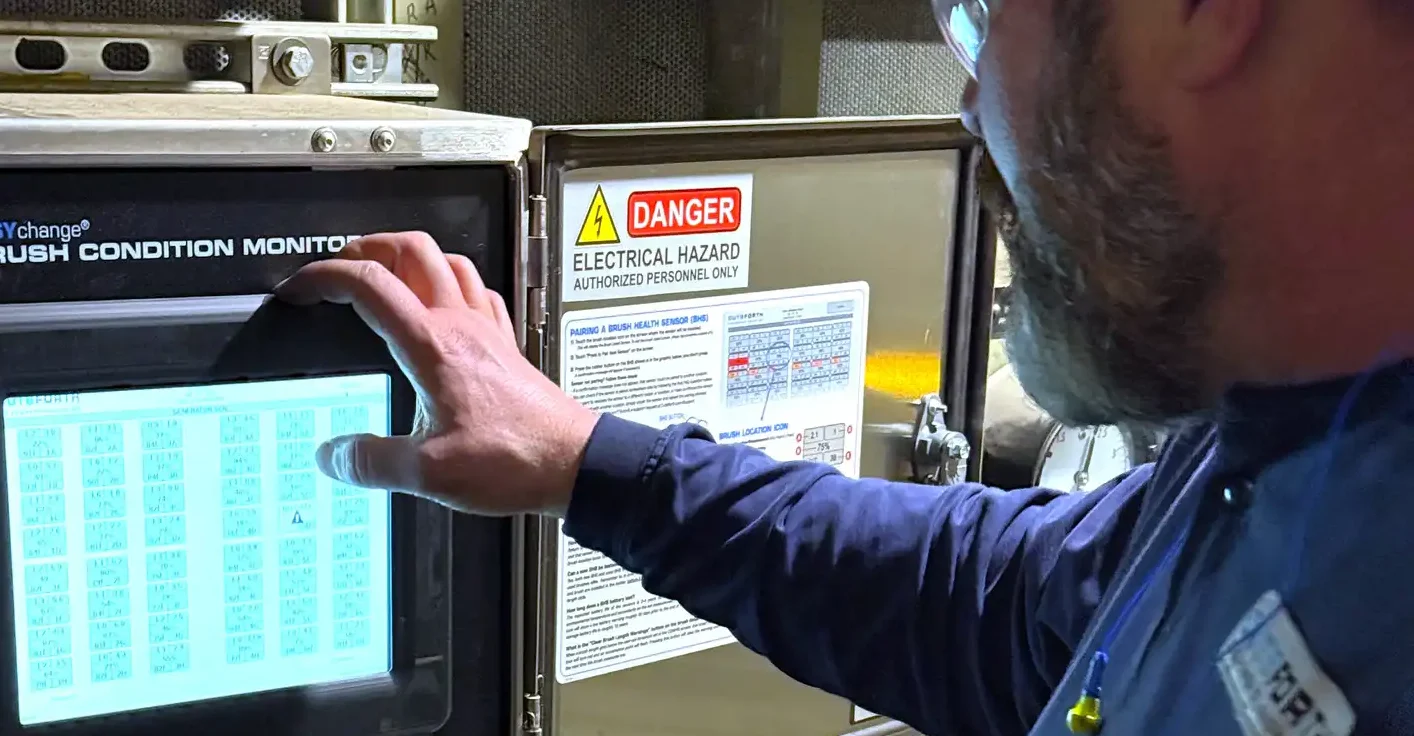
  • Local touch panel interface for easy, on-site monitoring
  • Connects to InsightCM, plant historian, or DCS via Modbus or 4–20 mA interfaces
  • Works with EASYchange holders and select OEM brush holders

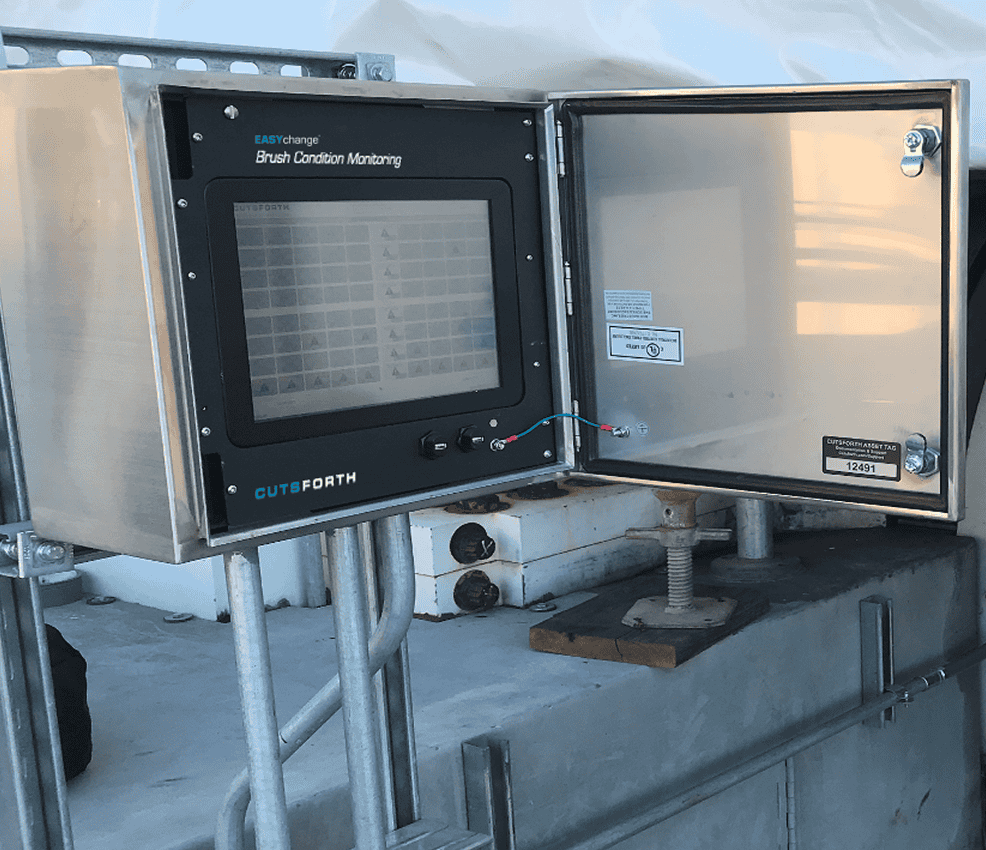
The System Controller

  • Touchscreen interface alerts users to short brushes and vibration
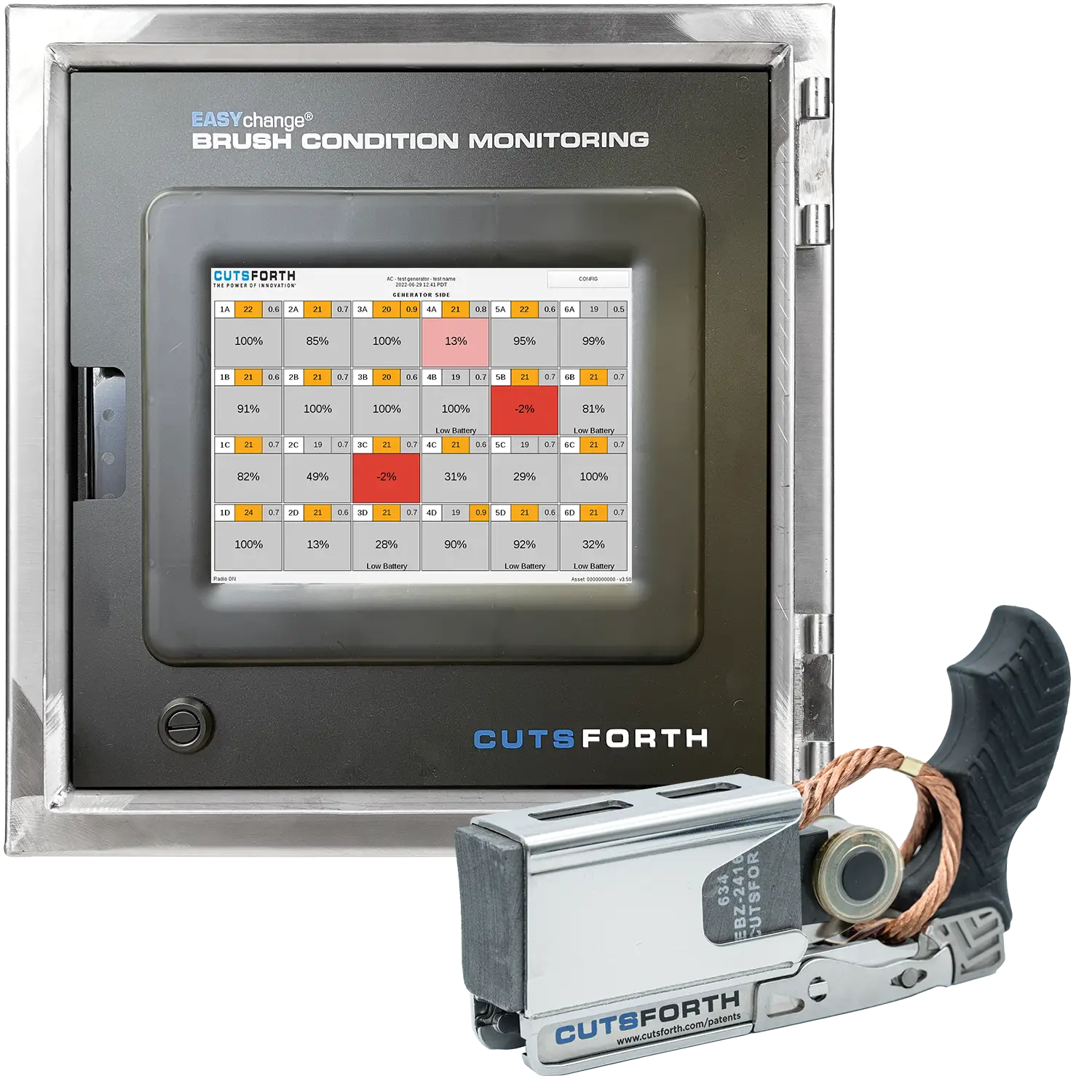
  • Displays real-time status for each individual brush location
  • Sends critical data to control room, historian, or InsightCM

Brush Condition Monitoring FAQs

Which brush holders are compatible with Cutsforth Brush Condition Monitoring?

The monitoring system only works with Cutsforth EASYchange Holders.


Are the Cutsforth Brush Condition Monitoring sensors wireless?

Yes, and they wirelessly connect to an easy-to-read touchscreen user interface, and the control room via PI or InsightCM.


What is the standard lead and installation time for Cutsforth Brush Condition Monitoring?

BCM is a simple and minimally invasive installation, usually completed within one eight-hour shift. Sensors fit easily inside EASYchange brush springs wirelessly talking to the monitors and plant personnel. If plants already own EASYchange holders, BCM installation is even easier and quicker.


How long does the sensor last in the Brush Condition Monitoring system?

The operational battery life of the sensors is 2-4+ years but may vary depending on the user-defined measurement interval and environmental temperature. The BCM system will display a low battery warning roughly 30 days prior to the end of the battery’s life. The storage battery life is roughly 10 years.


Should we change the Brush Health Sensor (BHS) every time we change a brush?

The BHS does not need to be replaced with each brush change. The sensors should be replaced at the end of their battery life.


How do I pair a sensor?

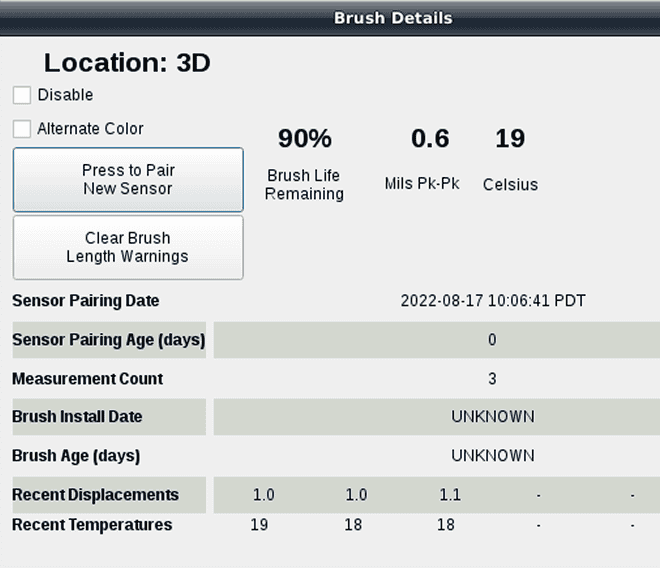
Touch the brush location icon on the screen where the sensor will be installed. Touch “Press to Pair New Sensor” on the screen. Press the rubber button on the sensor, which is shown in the graphic; one short press. You will receive a confirmation message on the screen when the BHS has successfully paired.


How do I unpair a sensor?

Press and hold the rubber button on the BHS for roughly 3 seconds. The sensor is unpaired once the light on the sensor, opposite side of the button, flashes 3 times.


How can I confirm if a sensor is already paired and where it is paired to?

While viewing the main screen of the BCM system, single press the button on the BHS in question and that sensor’s brush location icon will flash with a blue border for a few seconds. If none of the brush location icons flash, that sensor is not paired to any of the brush location icons.


Can a new BHS be installed on a used brush?

Yes, both new BHS and used BHS with battery life remaining can be installed on new and partially used brushes alike. Remember to, in both cases, single press the sensor button after the sensor and brush are installed in the holder, before it is installed onto the generator, to reset the brush length data.


What is the “Clear Brush Length Warnings” button on the brush detail screen?

When a brush length gets below the user-set threshold set in the CONFIG screen, that brush location icon will turn red, and an exclamation point will flash. Pressing this button will clear the warning until the next time the brush measures low.


What do I do if I see “No Data” on a brush location icon?

Attempt the following troubleshooting steps in this order:

  1. Press the button on the associated sensor once and watch the BCM screen to see if the location in question updates with data within a few seconds.
  2. If step 1 is unsuccessful, unpair and re-pair the BHS following the instructions listed above then wait for the measurement interval to pass (default is one hour) to see if the location begins showing data.
    If steps 1-2 are not successful, please submit a support request.